Time-resolved links
In every organisation, employees may change departments or perhaps work in more than one unit. To record this, OSIRIS offers each employee the option of individually setting the period of time they work for the various units.
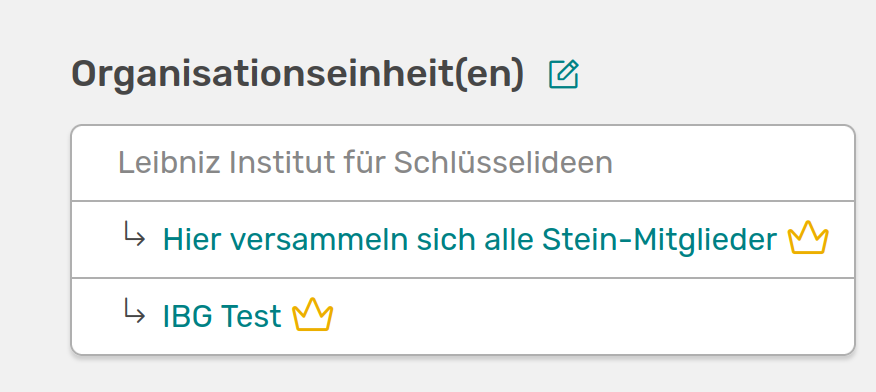
You can see your linked organisational units at the top right of your start page. Click on the pencil to go to the editing page
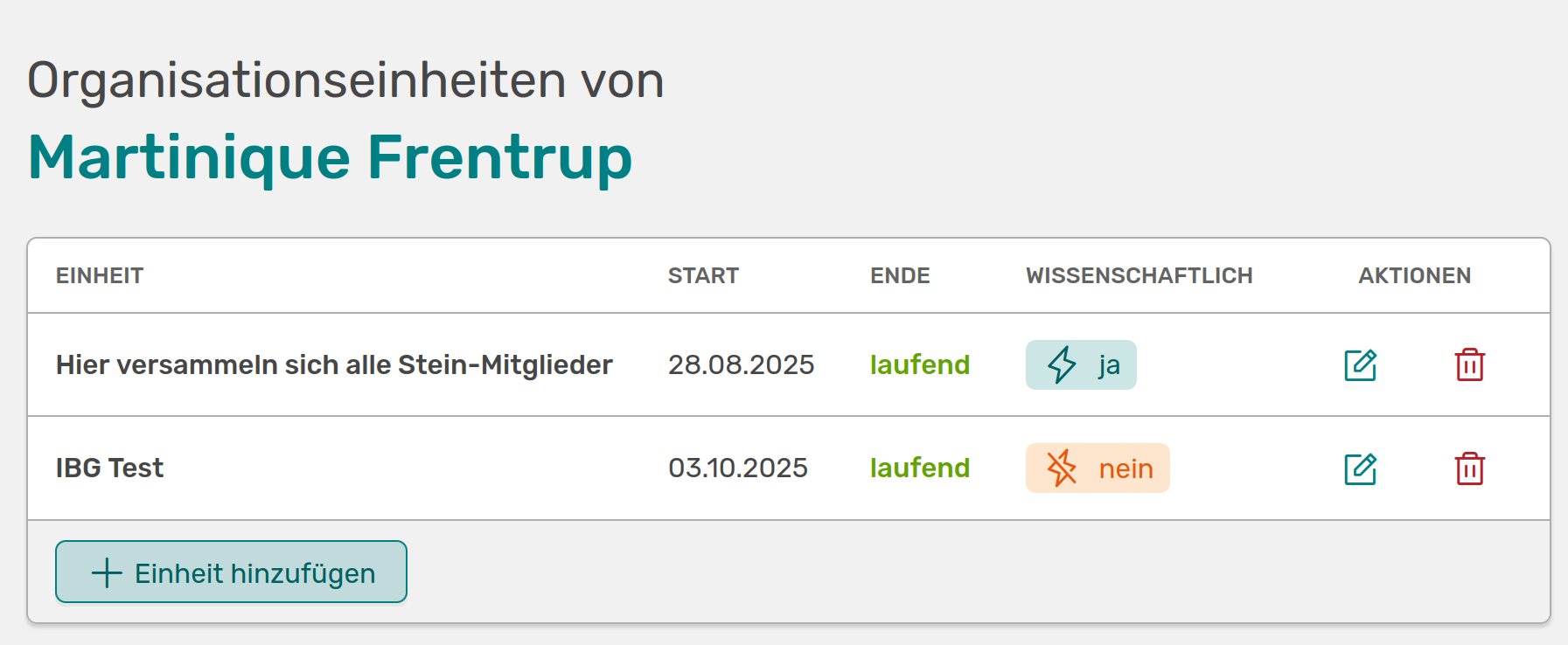
Here you can make individual settings for your organisational units
This page lists all the organisational units to which you have been assigned. If you are missing an organisational unit here, you can add more via Add unit.

Here you can add an organisational unit to your profile from a drop-down menu and directly enter the time period that you are or were active for this unit
If the unit to be added is not in the list, you can create a new organisational unit yourself if you have the rights to do so. If this is not the case, please contact your administration.
You can indicate here whether you are scientifically active in the unit or not. If you mark a unit as scientific on your profile, all research activities associated with you will be linked to this unit. These will then be listed on the organisational unit page under the Activities tab and the organisational unit will be displayed at the bottom right in the expanded view of the activity.
However, this only applies to activities that fall within the period you specify here for the unit.
If you set scientific to no, your activities will not be linked to the unit.

Here you can enter the exact period of time that you are or were active for the organisational unit
In this example, only the activities of this unit that took place after 28/08/2025 are added. Activities with a date before you joined this unit will not be linked.