Organisations in OSIRIS
Under People → Organisations you can store partner institutes or other institutions in OSIRIS and link them to content in OSIRIS.
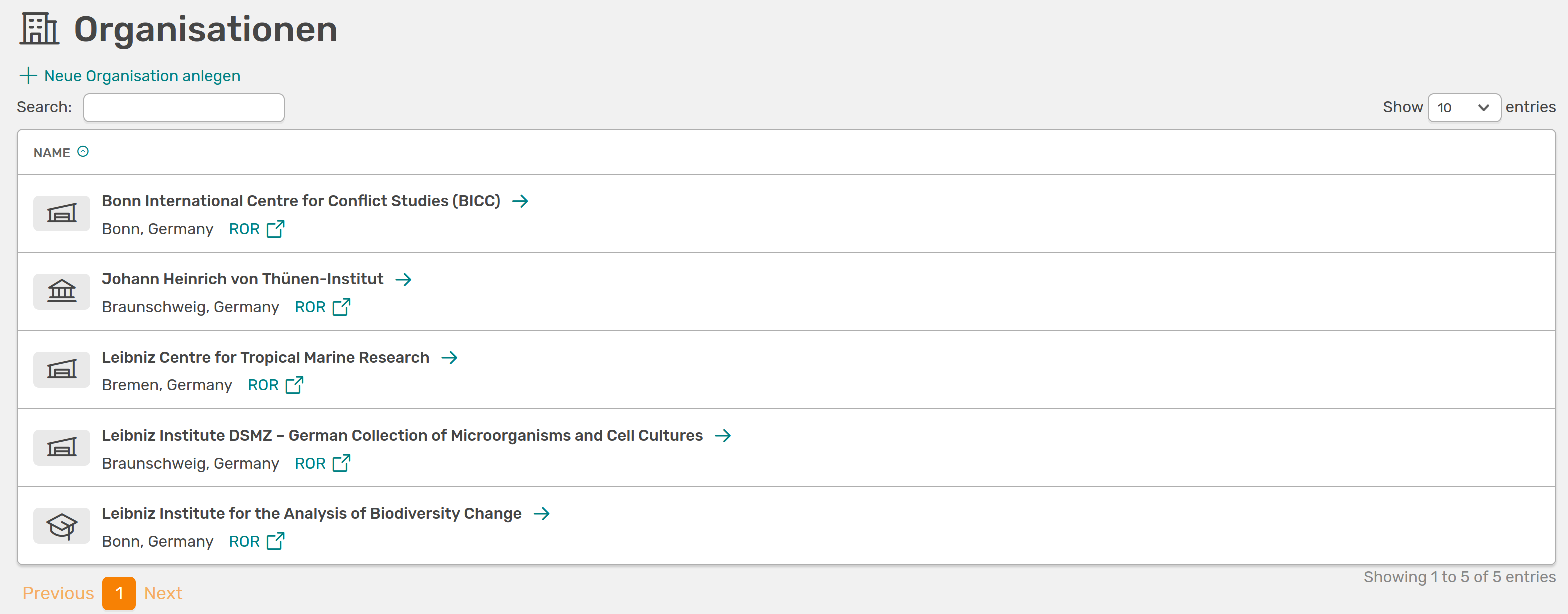
Overview of all added organisations
Add new organisation
You can create a new organisation in OSIRIS via Create new organisation. If this button is not displayed, you do not have the rights for this action - please contact the administration.
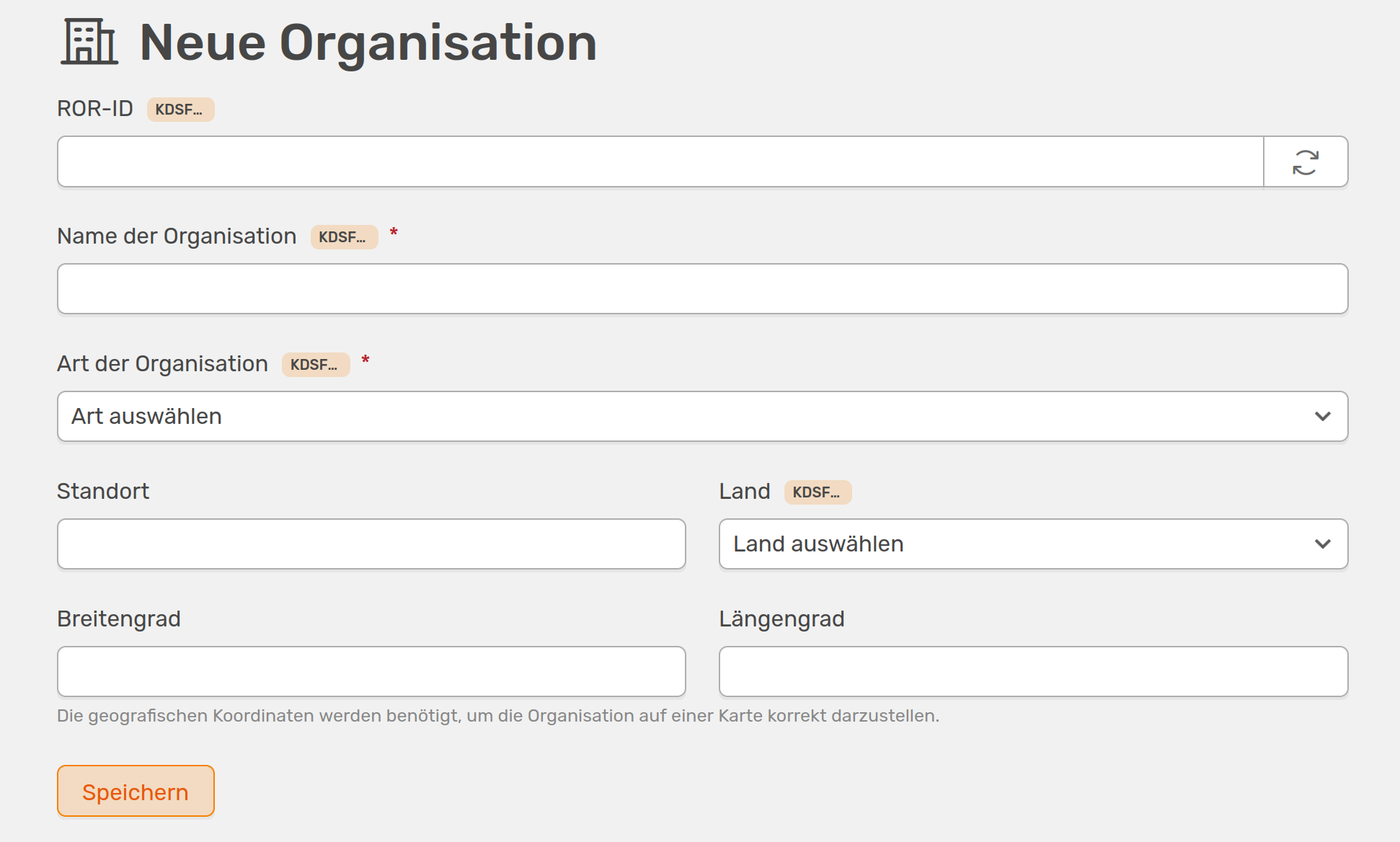
You can create a new organisation here
You can enter the organisation manually or using the ROR ID (Research Organisation Registry). You can simply search for the institute on the ROR page and copy the link into OSIRIS. OSIRIS will then fill in all subjects automatically. If you cannot find the organisation you want to add in the ROR directory, you can also add it manually. This requires the name, country and type of organisation, with a drop-down menu suggesting options for the type. To be able to display the organisation on the cooperation map, you can also enter the exact coordinates here.
If you create a new infrastructure and select Collaborative infrastructure, you can also add further organisations here using a simple search field in OSIRIS. If you add an organisation here, it will automatically be listed on the organisations page.
The same applies when you add organisations when creating a project or in activities where organisations are stored as data fields. Here, too, you can simply search for the organisation and it will automatically be listed in the overview of organisations.
From version 1.8.0 onwards, it is possible to determine the coordinates of an organisation based on the location entered with just one click. To do this, simply click on the Determine coordinates button and OSIRIS will fill in the fields automatically. The selected country and the current UI language are used for this purpose.
Also, starting with version 1.8.0 , you can upload an organisation's logo. To do this, click on the icon in the placeholder for the logo on the organisation overview page. A dialogue box will open where you can select and upload the image file. The logo will then be displayed on the organisation's page.
Links
Stored organisations are mainly used to display projects and infrastructures and to correctly specify the cooperation partners. For both infrastructures and applications, you can search directly for the organisation or use the ROR ID.
All links are listed on the organisation's OSIRIS page. Here you can also edit the organisation afterwards.