Courses
Under Teaching modules you can create modules that allow you to combine several activities of the type Teaching. Before you can add a teaching activity, the appropriate module must be created. If you cannot find the function in the left menu, it must be activated by your administration under Settings → Functions.
Add teaching module
By default, each role can add a course in OSIRIS. To do this, select Teaching modules in the menu on the left and go to Create new course. The following widget appears:
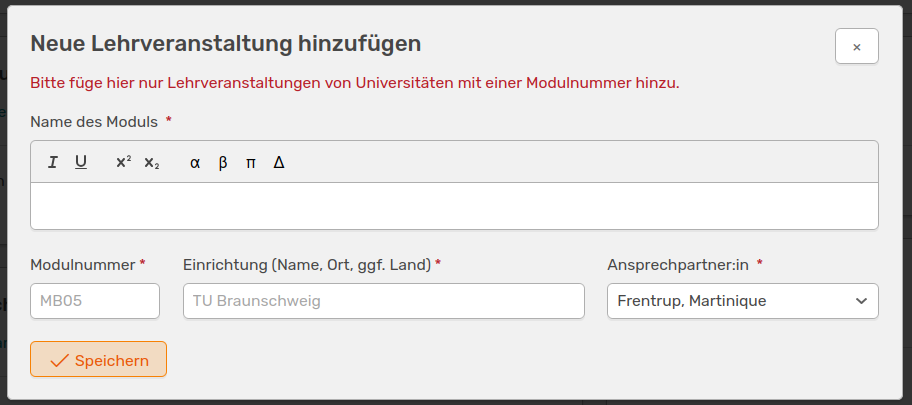
The widget to create a new course
Here you can enter the name, the module number, the institution and the person responsible. Once you have saved, your newly created module will be displayed in the list.
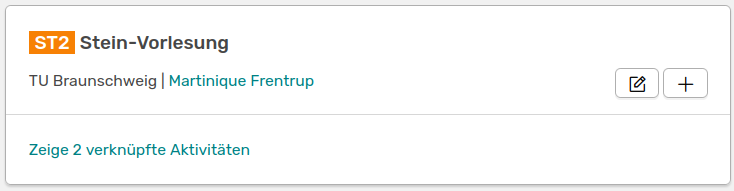
Your newly created learning module
Link activity
There are two ways to add an activity of the type Teaching to a module. You can simply click on the  in the panel of your learning module to go to the Add activities page. The Teaching type and the appropriate module have already been automatically selected here. Alternatively, you can go to the Add activity page and select the type teaching. Here you have to search for your module by name or module number.
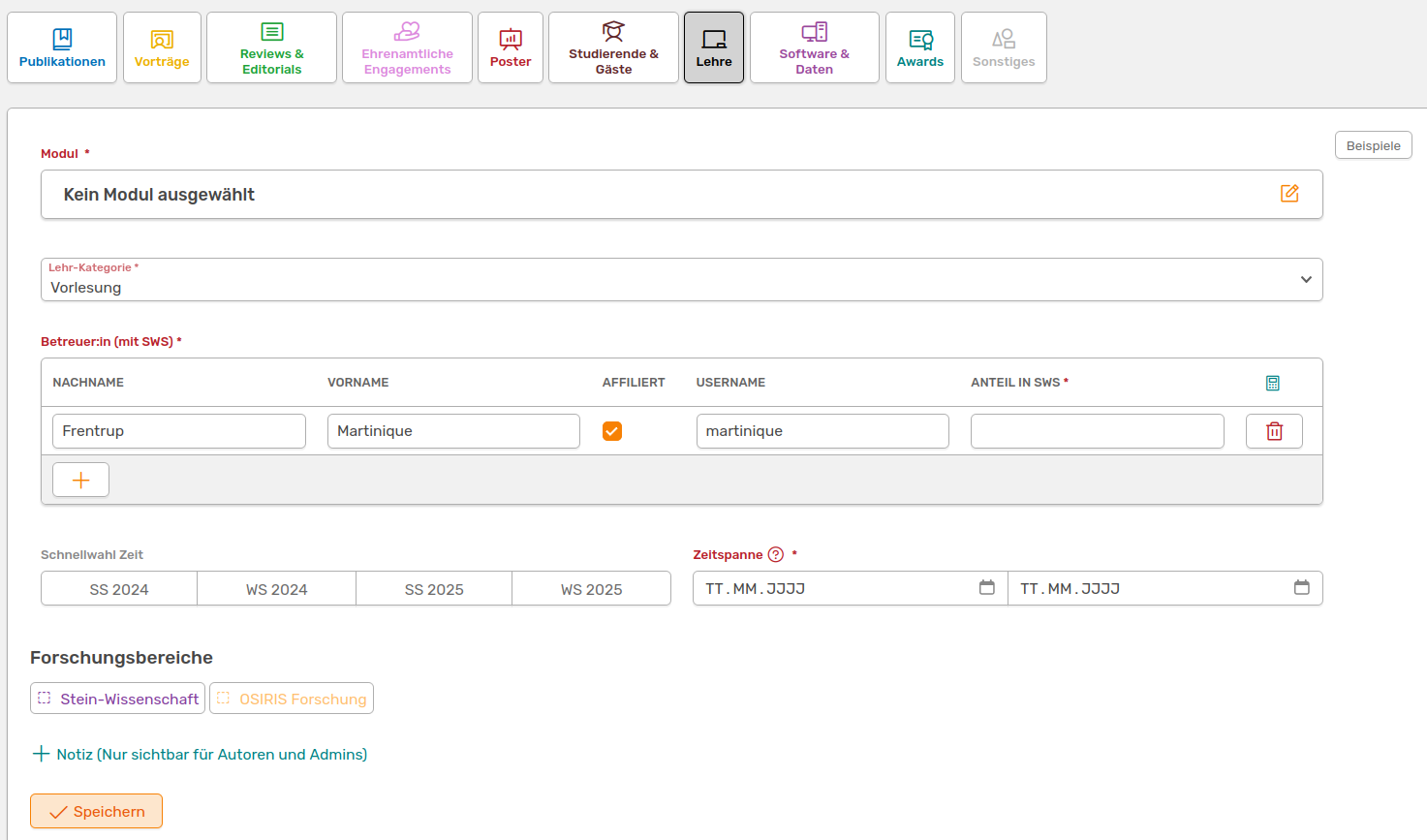
Form to add a teaching activity
In addition to the module, you must specify further parameters:
- Teaching category: Here you can select the type of teaching activity. You can choose between Lecture, Internship, Seminar or various combinations of these
- Supervisor with SWS: Enter one or more people who will supervise this teaching activity here. It is important to specify the semester hours per week and whether the person is affiliated with your institute
- Time span:** You can enter the dates for your module here. If it only takes one day, you can leave the last field empty. You also have a selection of semesters to the left, which you can click on to make it easier to fill in the time span
Courses can also be linked to research areas. The areas available for selection can be found at the bottom of the form.
You can add several teaching activities to a module. The number of linked activities is displayed on the teaching module board (see above). You can display these in short form by clicking on the number.

Module table with the linked teaching activities
 A module can only be deleted if no links exist yet.