Skip to content

General settings

In the General settings you can configure everything to do with the institute and the OSIRIS site itself.

General

Under → General you can set the Start year. OSIRIS uses this year as the basis for creating illustrations and only includes contributions that were added during or after this year. You can add activities that took place before this year, but these will not be included in the illustrations.
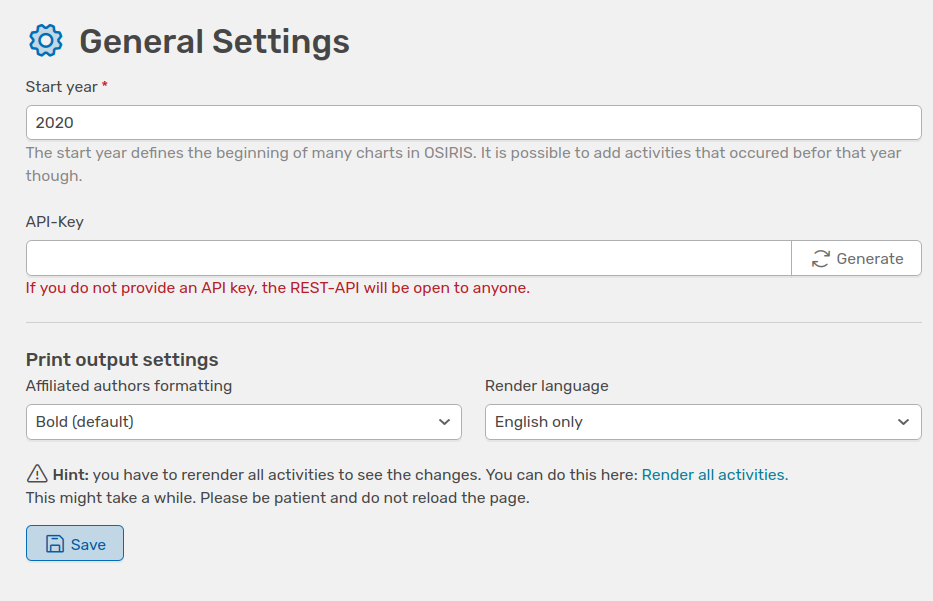
You will also find the API-Key here, or you can generate one to protect access to all data available in the database.

On this page you can also determine how the affiliated authors are formatted in the activities. The default setting is bold.

Institute

Under the Institute tab, you can make general settings for the institute and specify regular expressions for the institute that are used to automatically search for publications etc. in the online repositories.

OSIRIS allows you to upload the institute's logo here and thus customise the layout.

Countries

This tab contains a list of all countries along with their abbreviations used in OSIRIS. The list of world countries is provided by Stefan Gabos' World Country List. Please click the button above to automatically update the list.