Email settings
OSIRIS offers an easy way to send e-mails for certain events, such as notifications about new projects or project changes.
Note
Emails are currently used for project notifications and for the email digest. Further notifications will follow in future versions.
There are basically two ways to send emails: via an SMTP server or via the local mail server. We recommend using an SMTP server as this is generally more reliable and offers more functions. For test purposes, however, you can also use the local mail server, which is usually already installed on the server.
Local mail server
If you want to use the local mail server, you should first make sure that it is correctly installed and configured.
You can use Postfix or Exim, for example. These mail servers are usually already pre-installed on most Linux distributions and can be easily configured. You can find more information on configuration in the documentation for your Linux distribution or on the respective mail server websites.
For a local mail server, you do not need to make any further settings in the admin area under Settings → Email. OSIRIS then automatically uses the local mail server to send emails. You could only adjust the sender address that is used for all emails. This is set to noreply@osiris-app.de by default.
SMTP server
You can find the email settings in the admin area under Settings → Email. You can make the following settings here:
- SMTP server: The host name or IP address of the SMTP server used for sending emails.
- Port: The port used for the connection to the SMTP server.
- Username: The user name for authentication on the SMTP server.
- Password**: The password for authentication on the SMTP server.
- Sender address: The e-mail address used as the sender for the notifications.
- Security protocol**: The security protocol used for the connection to the SMTP server. Here you can choose between "TLS", "SSL" and "None".
Test email dispatch
Further down in the email settings area you will find the option to send a test email. Here you can check whether the email settings are correct and whether sending emails works. To do this, simply enter an email address to which the test email should be sent and click on "Send test email". If everything is configured correctly, the email should arrive in your inbox within a few minutes.
Email digest
OSIRIS can automatically send digest emails to users to inform them about pending activities and messages. To activate this function, go to Settings → Email in the admin area.
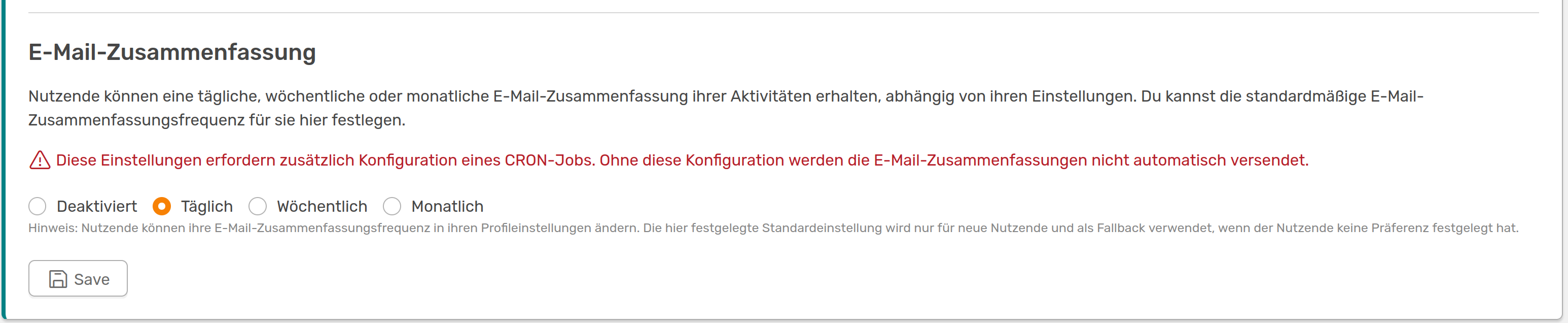
Here you can determine how often users receive a summary by email. This setting can be customised by the user when activated
Users receive a May with activity notifications, unread messages and whether OSIRIS has been updated at the frequency they have selected.
To activate this feature, a CRON job must be configured. You can find the instructions for this here.
The preferred language (German/English) is also saved in the database and used for the mails when the interface is changed from version 1.6.0.