Infrastructures
Research infrastructures, like projects, are a separate entity in OSIRIS that must be activated centrally.
Switch on research infrastructures
To activate research infrastructures in OSIRIS, you must first make the appropriate settings in the admin area. To do this, go to Settings → Functions and activate the "Research infrastructures" option. You can also change the name of the area in OSIRIS here. The name in the left bar will be adjusted accordingly.
Configure data fields
Infrastructures are set up by default in OSIRIS and contain data fields that are predefined by the KDSF. You can deactivate the default fields under Contents → Infrastructures.
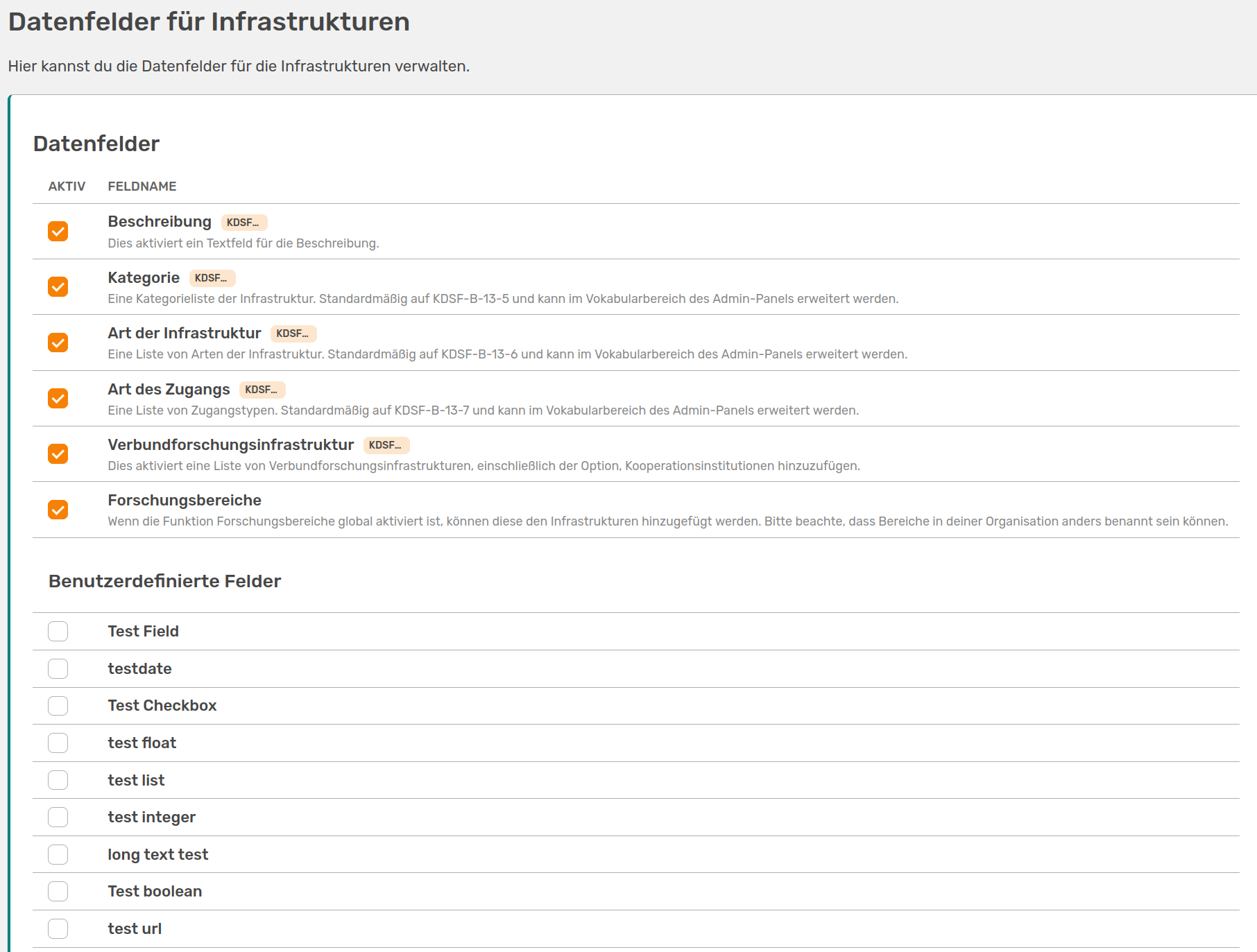
On the Data fields for infrastructures page, you can deactivate predefined fields and activate user-defined fields
On this page you will also find your custom fields, which you can add to the form for infrastructures here.
It is also possible to customise the selection of values in the dropdowns. To do this, you can change or add values on the Vocabulary page.
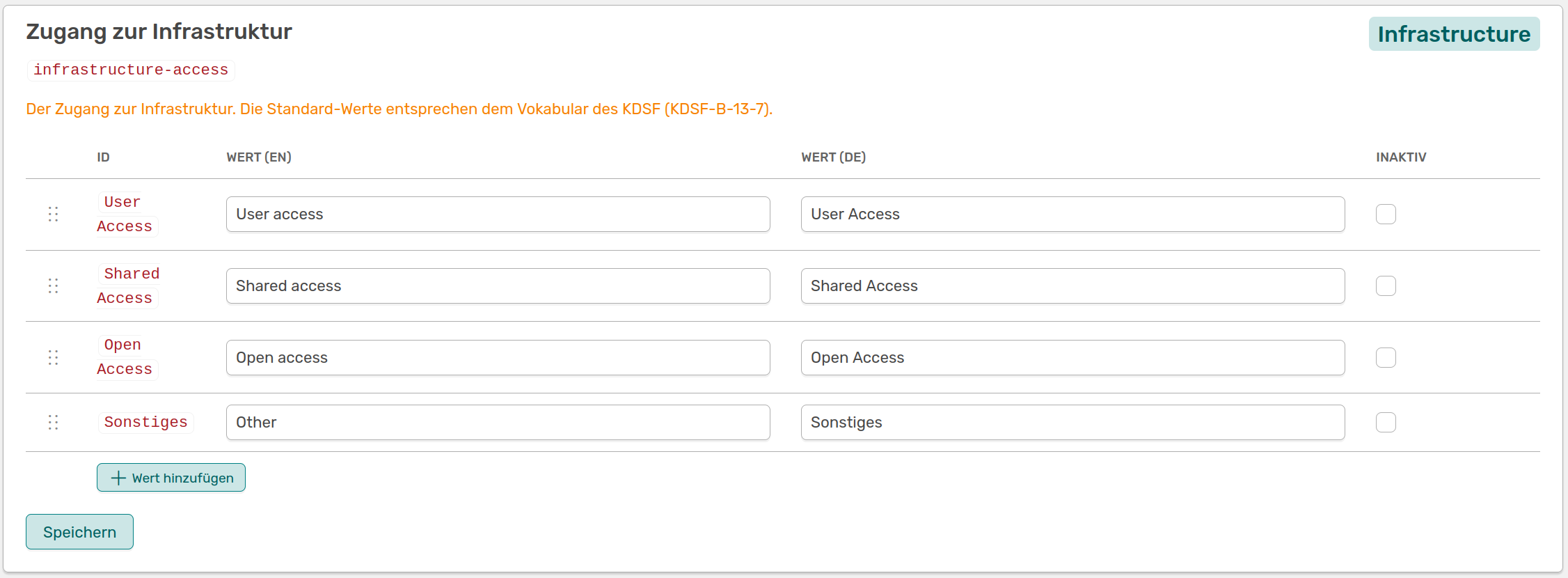
Selection of the values that are currently available for the Access to infrastructure field, as well as the option to add values. You can also change the existing values
The existing values correspond to the KDSF vocabulary and are used by default.